
Not every automation project involves a massive tech stack or a six-figure budget. Sometimes the most valuable work you can do is identify a small, repetitive task that quietly drains time every single day – and eliminate it. That’s exactly what I did for Stompbox Electronics, my small business specializing in guitar effects pedal repairs and modifications.
The Problem
After every shipment, I needed to send each customer a tracking confirmation email. The process was entirely manual: find the USPS receipt, locate the 22-digit tracking number, open Gmail, load the email template, type out the customer’s name and order details, format the USPS tracking link, and send. Multiply that by a few shipments on a busy day, and what should be a 2-3 minute task becomes almost 15-20 minutes.
I handle three different order types: product sales, repairs, and modifications. Each one requires a slightly different email template. That variation made it hard to template in Gmail alone, and easy to introduce errors when copying and pasting under time pressure.
The Solution
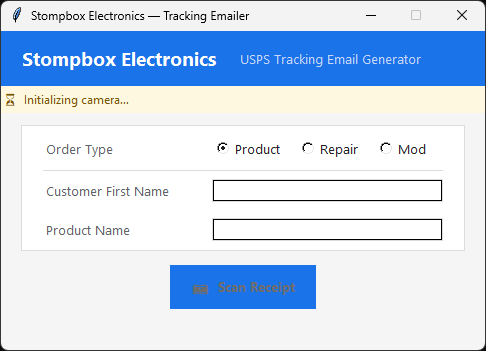
I built a lightweight Tkinter desktop application in Python that fits neatly into the existing post-shipping workflow. The app initializes my Logitech HD webcam once at startup, handles camera effect settings (black and white, sharpness, resolution, etc), and stays open for the entire shipping session.
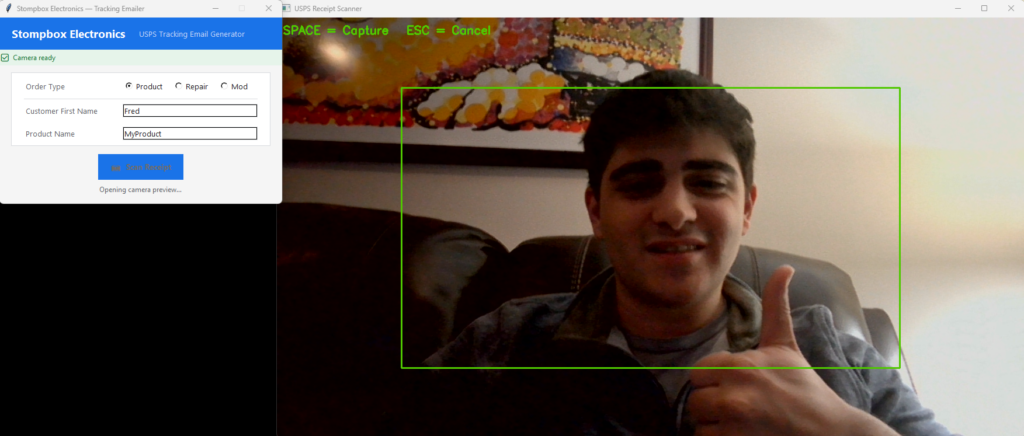
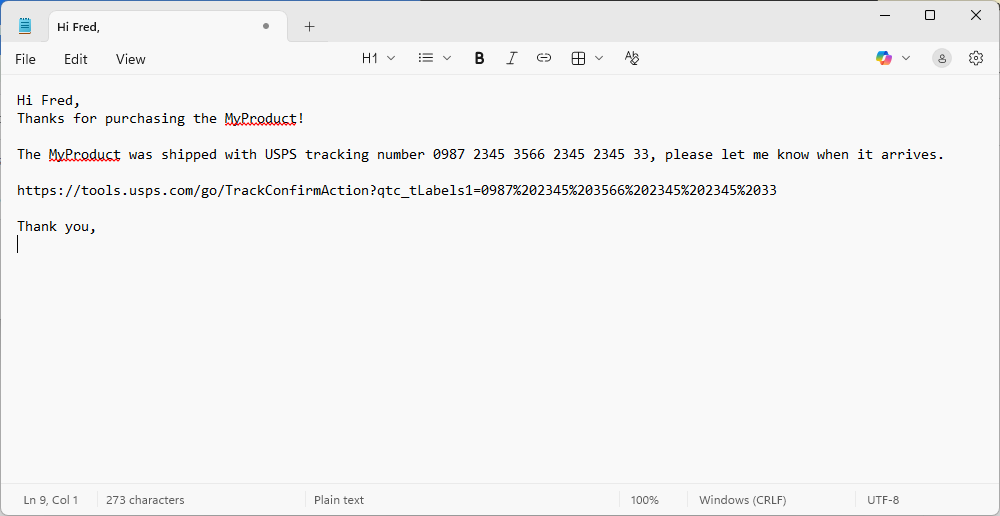
The workflow is simple: I select the order type (Product, Repair, or Mod), enter the customer’s first name and the item name, then click Scan Receipt. A live webcam preview opens in a separate window. I hold the USPS receipt up to the camera, press the spacebar to capture, and the app uses Tesseract OCR to extract the 22-digit tracking number from the image. After a quick confirmation step, the correctly formatted email – complete with the USPS tracking link – is copied directly to the clipboard. Open Gmail, paste, send.
Under the Hood
The app is built entirely in Python using a small set of well-established libraries. OpenCV handles webcam access and live preview window. Pytesseract wraps the Tesseract OCR engine to read the printed tracking number off the receipt. Image preprocessing (grayscale conversion, contrast adjustment, and a sharpening kernel) improves OCR accuracy on thermal-printed receipts, which can be tricky for off-the-shelf OCR. Pyperclip handles clipboard output, and Tkinter provides the clean, minimal GUI.
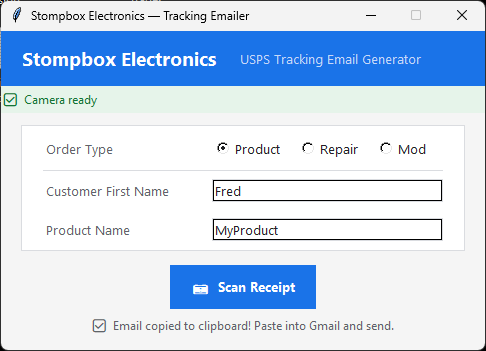
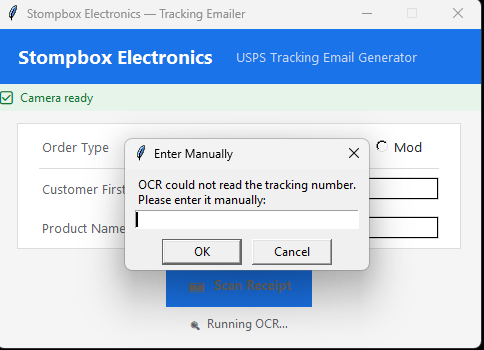
A few deliberate engineering decisions made the experience noticeably smoother. The camera initializes once in a background thread so the UI is responsive immediately on launch. Warm-up frames are discarded automatically so the image is stable before the user ever sees the preview. Resolution is set to 720p rather than full 1080p, which reduces frame size and speeds up both capture and OCR without sacrificing the detail needed to read a tracking number. If OCR fails, a manual entry fallback ensures the workflow is never blocked.
Why It Matters
For a small business owner wearing every hat at once, 20 minutes of repetitive administrative work is not just a time cost – it’s a context switch that pulls focus away from the work that actually grows the business.
The project also illustrates something I believe strongly about small business automation: the right solution doesn’t have to be complex or expensive. This tool requires no subscriptions, no cloud services, no API keys, and no ongoing maintenance costs. It runs locally, works offline, and does exactly one thing well.
Does Your Business Have a Hidden Time Tax?
Almost every small business has at least one task like this – something that feels too small to fix but adds up to hours every week. It might be a data entry step, a report that gets built by hand every Monday, or a notification email that takes five minutes longer than it should. These tasks are exactly where I focus.
With Sciarrino Solutions, I specialize in building practical, low-overhead automation tools tailored to how small businesses actually work – not how enterprise software assumes they work. If you’re spending time on something repetitive that a well-built script or app could handle in seconds, I’d love to hear about it.
Get in touch with Sciarrino Solutions to talk through your workflow.
The first conversation is always free.